You're probably already using a patchwork that looks familiar. Registration lives in a Google Form. The master guest list sits in Google Sheets. VIP notes are buried in comments. Someone exported a CSV for badge printing. On event morning, the door team has a printed list, a backup spreadsheet on a phone, and a group chat full of last-minute changes.
That setup works until the line starts moving.
Then the weaknesses show up fast. One attendee is checked in twice. Another changed sessions but the scanner team didn't get the update. A sponsor asks for attendance numbers before lunch and nobody trusts the count yet. In these scenarios, cloud event management stops being a technical buzzword and starts looking like operational relief. It connects the tools your team already uses so registration, ticketing, check-in, and reporting stay in sync instead of breaking apart under pressure.
That shift isn't niche anymore. The cloud-based segment held over 63.0% of the event management software market in 2024, and the broader market is projected to grow from $8.40 billion in 2024 to $17.33 billion by 2030, according to Grand View Research's event management software market report. For planners, the meaning is simple. More teams are moving event operations into systems that can scale, update in real time, and support staff from anywhere.
Table of Contents
- Your Last Manual Event Check-In
- Deconstructing Cloud Event Management
- Core Features That Power Modern Events
- Understanding System Architectures and Integrations
- A Practical Framework for Implementation
- How to Select a Vendor and Calculate ROI
- Real-World Use Cases and Scenarios
- Frequently Asked Questions
Your Last Manual Event Check-In
You know the scene. Doors open in ten minutes. One staff member is alphabetizing paper lists on a folding table. Another is searching a spreadsheet on a laptop with weak venue Wi-Fi. A guest says they registered yesterday, but their name isn't on the printed copy. Someone waves them through anyway because the queue is building and nobody wants a bottleneck at the entrance.
Manual check-in creates two problems at the same time. It slows entry for attendees, and it weakens the quality of your event data. Once staff start making judgment calls at the door, your attendance record turns into a mix of guesses, duplicates, and corrections you'll have to clean up later.
That's why cloud event management matters so much in practice. It gives your team a shared live record instead of scattered versions of the truth. If a registration changes, the check-in team sees it. If someone enters at one door, another scanner doesn't admit them again. If leadership asks who attended a breakout session, you have a defensible answer instead of a rough estimate.
Long queues usually aren't just a staffing issue. They're often a data synchronization issue disguised as a people problem.
For Google Workspace teams, the biggest advantage is that cloud event management doesn't have to mean abandoning familiar tools. You can keep working from spreadsheets and forms while adding scanning, validation, and attendance tracking around them. If your main concern is venue connectivity, a practical starting point is understanding how offline check-in works in Google Sheets based event workflows.
The appeal is operational, not fashionable. Teams want shorter lines, fewer manual fixes, and cleaner records after the event. This operational need is why cloud-based systems have become the default direction for so many organizers.
Deconstructing Cloud Event Management
A practical definition
Cloud event management is best understood as the shared operating system for your event. It connects registration, ticket delivery, check-in, attendance status, and reporting so each action updates the same central record.
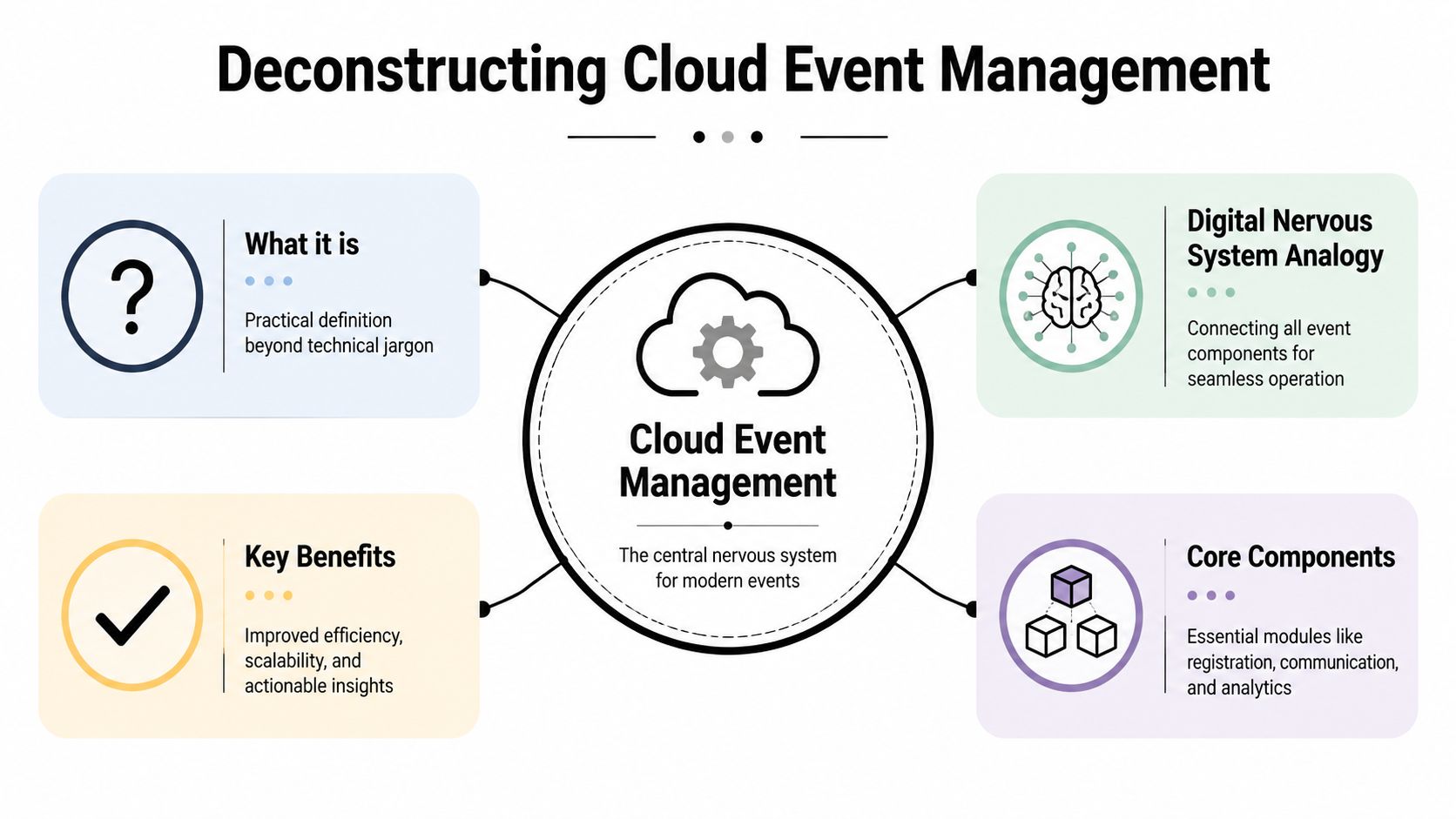
If that still sounds abstract, use this analogy. Your event has many moving parts, but attendees experience it as one thing. Cloud event management acts like a digital nervous system. Registration is one nerve, check-in is another, attendee messaging is another, and reporting is another. When one part receives a signal, the rest can respond without someone manually carrying the update across the room.
That's a major shift from the old spreadsheet-plus-email model. In a manual process, your team keeps copying information from one place to another. In a cloud process, the system passes updates through connected workflows. The planner still makes decisions. The platform just removes the repetitive handoffs that create errors.
Why Google Workspace teams adapt faster
This matters most for teams that already live in Google Workspace. They don't want a giant platform migration for every seminar, roadshow, or graduation. They want their event tools to fit around the tools they already trust.
A practical example looks like this:
- Google Forms collects registrations and pushes responses into Sheets.
- A ticketing layer generates attendee passes from those rows.
- Door staff scan codes on phones or tablets during arrival.
- Attendance status syncs back to the sheet so the organizer sees live status without exporting or re-entering anything.
That's why cloud event management isn't really about “moving to the cloud” in the dramatic sense many people imagine. For a planner, it's often about keeping Google Sheets as the familiar front end while adding structure, automation, and control behind it.
Practical rule: If your team needs training on an entirely new dashboard before they can admit guests, the workflow probably isn't aligned with how event teams actually work.
The same idea applies beyond check-in. Session capacity, staff permissions, sponsor access lists, and post-event reporting all get easier when the event record stays centralized. If your event also includes multilingual sessions or international speakers, this guide for conference organizers is a useful planning companion because language support becomes far easier to manage when attendee data, schedules, and session access stay synchronized.
Core Features That Power Modern Events
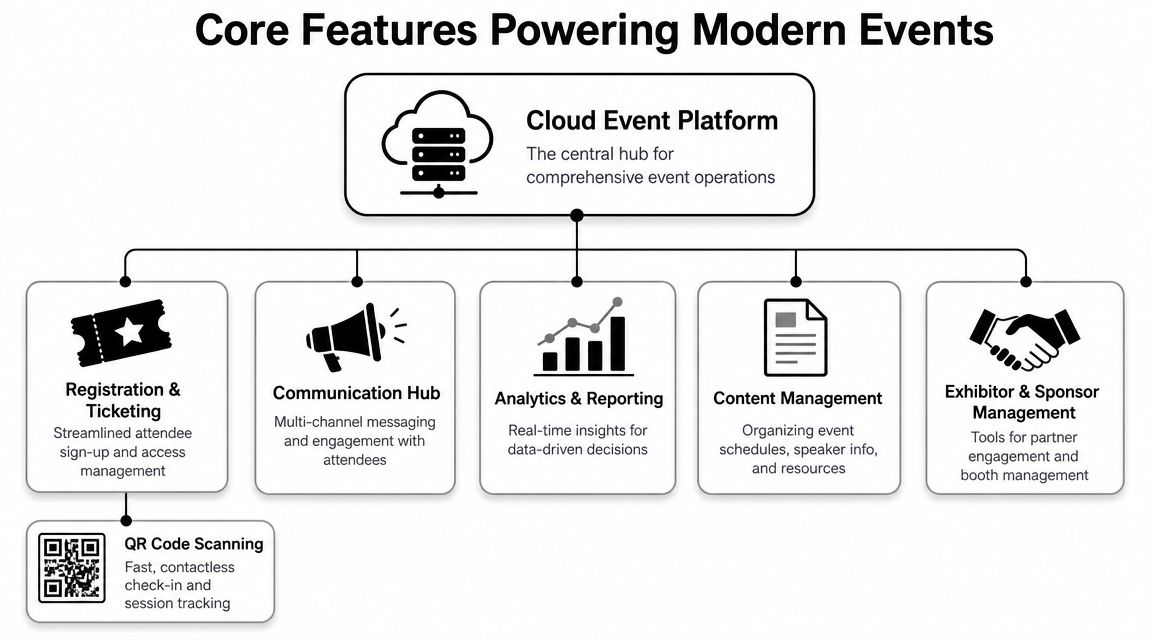
The difference between a basic online registration form and a useful cloud event management system is what happens after someone signs up. Modern platforms don't stop at collecting names. They support the operational work that begins once registrations are real and attendees start arriving.
What teams use at the door
The first feature most planners care about is QR code ticketing. It turns a long name search into a quick scan. That sounds simple, but it changes the whole arrival pattern. Staff spend less time typing, attendees keep moving, and disputes get easier to resolve because each scan maps to a specific record.
The second is real-time check-in status. Without it, every entrance becomes its own little island. One team checks names off paper. Another updates a separate file. A third texts corrections to the organizer. With live status, everyone works from the same attendance picture.
For more complex events, multi-session and zone control matters just as much. A conference may need one attendee admitted to the keynote, another to a paid workshop, and another to an executive dinner. A graduation may need separate flows for students, staff, and guests. A good platform treats access as part of the event design, not as an afterthought at the door.
Here's a practical way to think about the feature set:
- Registration and list management keeps attendee records organized with custom fields that match the event.
- Ticket creation and delivery turns registrations into scannable passes people can use.
- Check-in and validation confirms entry quickly and prevents duplicate admissions.
- Reporting and reconciliation gives planners a usable attendance record after the crowd is gone.
A related area that many teams overlook is logistics coordination. If you're mapping the larger operations layer around entry, staffing, and flow, this overview of event logistics software helps connect check-in tools to broader on-site execution.
What keeps the operation stable
The most valuable feature is often the least flashy. It's offline tolerance.
Venue internet is unpredictable. Even when the building says it has Wi-Fi, the entrance experience may still break down under crowd load or physical dead zones. Resilient cloud event management proves its value in such scenarios. The underlying design principle is that systems should continue validating admissions even when connectivity is unstable, then sync back to the central record later. As described in Microsoft's CloudEvents schema guidance for Azure Event Grid, offline validation mode reduces dependence on constant connectivity, so check-in throughput is limited by physical queue design rather than WAN latency.
That's a technical sentence with a very practical meaning. Your line moves at the speed of your staff and your scanning process, not at the speed of the venue network.
If entry depends on perfect internet, the queue is one weak signal away from failure.
Scalability works the same way, comparable to adding more checkout lanes in a store. A sound cloud system lets multiple devices scan at once, update attendee status correctly, and avoid collisions across entrances. For planners, that means fewer improvised workarounds and more confidence that the system won't get fragile at the exact moment demand peaks.
Understanding System Architectures and Integrations
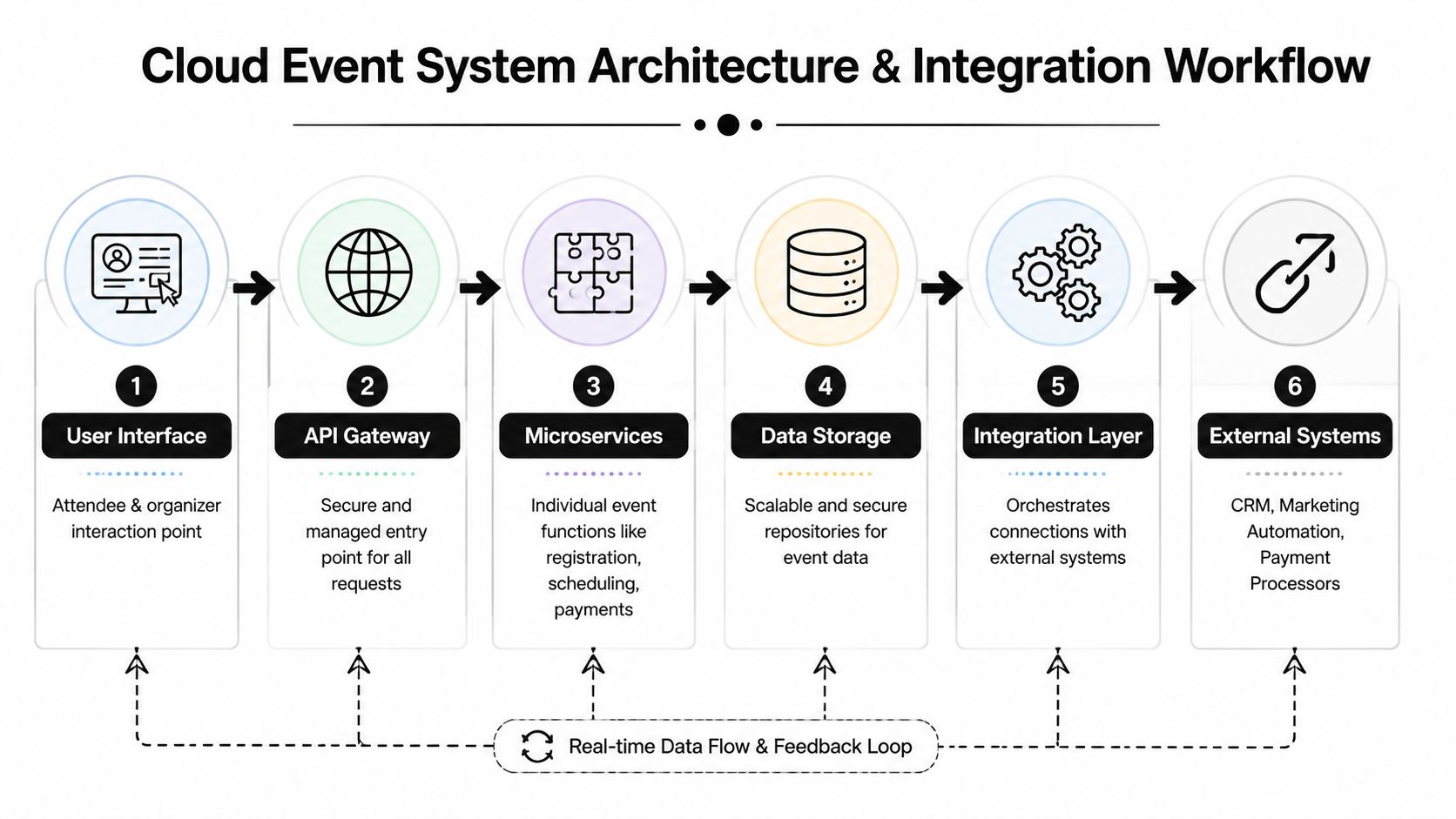
Many planners don't need to become technical architects, but they do need a working mental model of how cloud event management fits into the rest of their stack. If you understand the flow, it gets much easier to choose tools that support your process instead of disrupting it.
How event systems talk to each other
Most event operations involve more than one system. Registration may happen in one tool. Email confirmations may come from another. Check-in may happen in a mobile app. Finance may need payment data. Marketing may want attendance records for follow-up.
The problem isn't that these systems exist. The problem is that they often speak different dialects.
CloudEvents matters. The specification standardizes event metadata so systems can route and interpret event messages more consistently across vendors. The structure includes fields such as id, source, type, time, and subject, which helps platforms understand what happened and where it came from without custom guesswork. The CloudEvents specification is important here because a common envelope reduces custom parsing logic when connecting ticketing, validation, and notification workflows.
For a planner, that translates into less brittle integration. You don't want every new workflow to require a one-off technical fix. You want the registration update, the ticket issue, the scan event, and the notification trigger to move predictably between systems.
A familiar workflow with Google Sheets
Google Workspace teams usually care about one question first. Can this improve the workflow we already use?
In many cases, yes. A practical setup can look like this:
- Collect responses in Google Forms. Attendee names, emails, sessions, and custom fields land in Google Sheets.
- Generate ticket records from that sheet. Each row becomes a usable attendee credential.
- Scan at the door on mobile devices. Staff validate admissions without searching manually.
- Sync attendance status back to the same sheet. Organizers see updates where they already work.
- Use the updated sheet for follow-up. Marketing, finance, or internal stakeholders can work from the current record.
That structure is why cloud event management can feel surprisingly lightweight when it's done well. The planner doesn't need to abandon Sheets. The planner needs a reliable way to turn Sheets into a live operational database for the event.
One example is Darkaa, which uses Google Sheets and Google Forms add-ons to create QR code ticketing and event check-in workflows, including offline validation and sync back to Sheets. That kind of model is useful when the planning team wants cloud functionality without a full dashboard migration.
The best integration usually feels boring. Data goes where your team expects it to go, and nobody has to ask which file is current.
A Practical Framework for Implementation
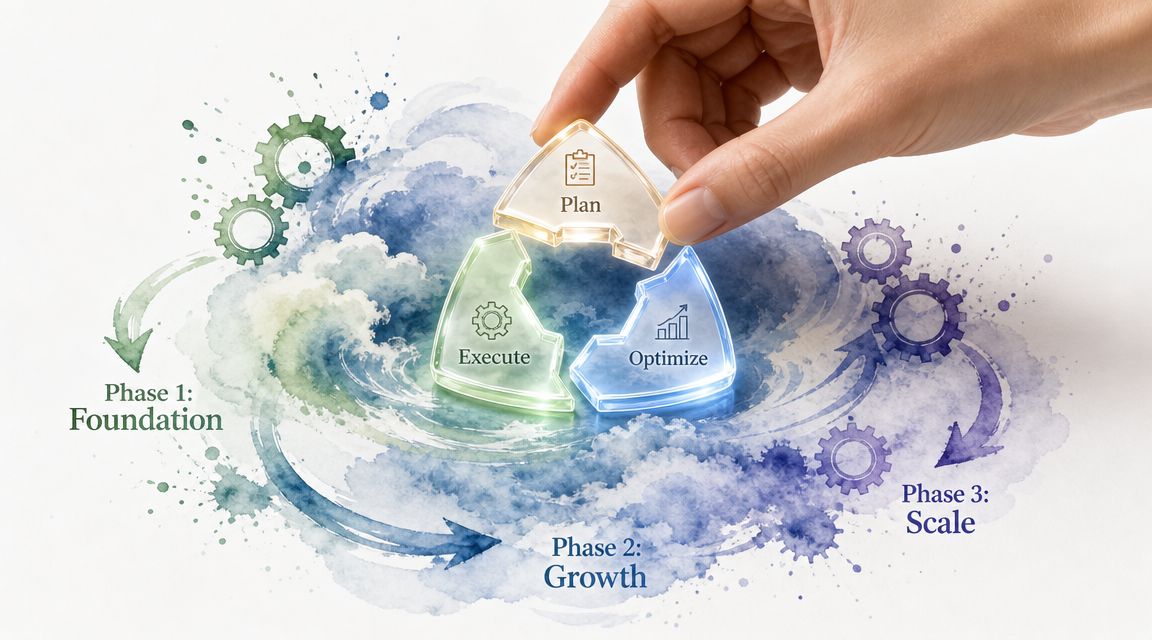
Cloud event management works best when you treat it as an operating discipline, not a one-time software purchase. A useful model comes from Google Cloud's guidance for high-traffic events, which organizes planning into preparation, execution, and analysis. In that framework, teams prepare with architecture review, capacity planning, and reservations, monitor closely during execution, and follow with retrospectives and root cause analysis, as outlined in Google Cloud's peak event best practices.
Preparation
Preparation is where most queue problems are either prevented or inadvertently invited in.
Start with an architecture review, even if your event stack is simple. Ask basic questions. Where does registration originate? What creates the attendee credential? What device scans it? Where does scan data go? What happens if one link in that chain slows down or disappears?
Then look at capacity in operational terms, not just technical ones.
- Door flow: How many entrances will scan at once?
- Staffing pattern: Which team members can solve access issues without escalating everything to one manager?
- Data dependencies: Which actions require live sync, and which can wait?
- Fallback method: What will staff do if a guest appears without their code or the venue network degrades?
A strong preparation phase also includes role clarity. Your planner, check-in lead, venue contact, and technical contact should each know what they own before doors open.
Execution
Execution is about active visibility. Once attendees begin arriving, your team should watch the event like operators, not spectators.
That doesn't mean everyone needs a technical dashboard. It means someone needs to track whether scans are succeeding, whether certain doors are slowing down, whether one session is filling faster than expected, and whether exception handling is becoming a line-management problem.
Use simple monitoring habits:
- Watch the queue itself. A growing line is a signal, not just an inconvenience.
- Monitor scan anomalies. Repeated invalid scans may indicate a list issue, duplicate distribution, or guest confusion.
- Escalate quickly. If one entrance struggles, redirect staff or open another lane before the delay compounds.
Google's guidance also emphasizes close monitoring as traffic begins. That idea matters because event demand usually arrives in bursts tied to start times, breaks, and program transitions. The system needs people around it who are prepared to respond.
Analysis
After the event, teams often jump straight to thank-you emails and expense reconciliation. That's understandable, but it leaves operational learning on the table.
A useful analysis phase asks a few hard questions. Where did the queue slow down? Which exception type occurred most often? Did session access rules make sense at the door? Did staff know how to handle offline operation and later reconciliation?
Google's model recommends timeline recap, root cause analysis, and a retrospective focused on lessons learned. The most important cultural point is that the review should be blameless. If a scanner team worked around a bad process, the process needs attention. If registrations changed too late to distribute clean updates, the workflow needs redesign.
Review the event like a flight crew reviews a landing. What happened, when did it happen, and what should change before the next departure?
When teams repeat this cycle, cloud event management becomes more than software. It becomes a calmer way to run events.
How to Select a Vendor and Calculate ROI
Buying event software without checking workflow fit is how teams end up paying for features they don't use and losing the processes they already trust. Vendor selection should start with your operating model, especially if your team already works in Google Workspace and wants to preserve that familiarity.
Vendor Selection Checklist for Cloud Event Management
| Criteria | What to Look For | Why It Matters |
|---|---|---|
| Integration fit | Works cleanly with tools your team already uses, such as Google Sheets, Google Forms, email tools, and payment systems | Reduces retraining and avoids duplicate data entry |
| Offline capability | Check-in can continue during poor or lost connectivity and sync later | Protects the door experience when venue internet is unreliable |
| Access control | Supports sessions, zones, or role-based permissions | Prevents admission mistakes at multi-part events |
| Ease of use | Staff can learn scanning and exception handling quickly | Door teams need speed, not a long onboarding process |
| Data ownership | Clear export options and clear control over attendee records | Your event data should remain usable after the event |
| Pricing clarity | Transparent event-based or usage-based pricing | Makes budgeting easier and prevents unpleasant surprises |
| Support model | Responsive help during setup and event days | Fast answers matter most when doors are opening |
A useful comparison exercise is to walk one real event through each vendor. Don't ask only, “Does it have QR scanning?” Ask, “Can my team update a Google Sheet, issue tickets, scan at two entrances, and reconcile attendance without creating a second admin process?” If you're evaluating tools for that workflow, this overview of an event registration tool is a practical reference point.
How to think about ROI without guessing
ROI is often where software conversations get fuzzy. Keep it grounded in labor, error reduction, and decision quality.
Start with saved staff time. If your current check-in process requires manual searching, duplicate corrections, and post-event spreadsheet cleanup, those are operational costs even if they don't appear as a separate line item. Then consider avoided errors. Better admission records can improve follow-up campaigns, internal reporting, sponsor communication, and compliance needs.
You can also borrow thinking from adjacent formats. If your team runs virtual or hybrid programs, Cloud Present's webinar ROI framework is helpful because it shows how to connect attendance activity to broader business outcomes rather than treating the platform fee as the whole story.
A simple ROI discussion usually includes:
- Time saved at check-in
- Time saved after the event
- Fewer attendee support issues
- Cleaner attendance data for follow-up
- Less training burden if the tool fits existing workflows
That's often enough to make the business case without pretending every benefit can be reduced to a perfect formula.
Real-World Use Cases and Scenarios
Corporate conference
A corporate events team runs a leadership conference with general admission, breakout sessions, and an evening reception. Their old method used exported attendee lists for each room. By midday, room hosts were working from outdated versions because some attendees switched sessions after registration.
With cloud event management, the team keeps one current attendee record and uses scan-based validation by session. The organizer can see who entered which room without chasing paper lists. When one breakout reaches capacity, staff can redirect attendees using the current data rather than guesswork.
University ceremony
A university needs to manage ceremony access for graduates, family guests, faculty, and event staff. The challenge isn't just admission. It's handling exceptions at speed while families are arriving all at once.
The operations team uses mobile scanning tied to a live attendee list, with a fallback for offline operation if parts of the venue lose connectivity. For institutions planning around tricky venue conditions, it also helps to explore temporary internet early so connectivity supports the event instead of becoming its main operational risk. The result is simpler verification, cleaner attendance records, and less confusion at entry gates.
Nonprofit gala
A nonprofit gala often has its own complexity. Donors may register under one name, bring guests under another, and expect table assignments or special access to be handled smoothly. Paper lists make that awkward fast.
A cloud workflow lets staff search, scan, confirm guest status, and note attendance in one place. After the event, the development team can review who attended without manually reconciling door notes against the original RSVP sheet. That matters because fundraising follow-up depends on accurate attendance, not just optimistic assumptions.
Frequently Asked Questions
What happens if the venue internet goes down completely
A well-designed setup shouldn't force entry to stop just because connectivity drops. The practical safeguard is offline-capable check-in, where staff can keep validating attendees locally and sync updates later when the connection returns. If your current process can't do that, the network is controlling your door operation.
How is attendee data protected and who owns it
The key questions to ask a vendor are simple. Where is the data stored, who can access it, what can be exported, and how are permissions managed for staff and contractors? Planners should avoid setups where attendee records are difficult to retrieve or locked inside a platform after the event ends.
Can cloud event management work for free events too
Yes. The same operational problems show up in free events, internal meetings, school ceremonies, and community programs. You still need accurate admissions, live status, and a usable attendance record afterward. Payment processing may disappear, but check-in discipline still matters.
Does my team need to learn a full new platform
Not always. Some of the most practical cloud event management setups extend existing workflows rather than replace them. If your team already lives in Google Workspace, look for systems that let you keep planning in Sheets and Forms while adding ticketing, scanning, and reporting around them.
Is cloud event management only for large conferences
No. Large conferences feel the pain first, but smaller events also benefit when staffing is lean and data needs to stay organized. The right question isn't event size. It's whether manual coordination is creating friction your team keeps paying for.
If your team already works in Google Sheets and Google Forms, Darkaa is worth a look because it adds QR code ticketing, mobile check-in, offline validation, and sync back to your existing Google Workspace workflow instead of asking staff to learn a separate event platform from scratch.